
Problem displaying custom SignalK data in instruments pane.
-
Hi,
I've set up a SignalK source that records bilge pump run time for the day and number of cycles in the day. The data is visible in signalK and the fields are available to set as data sources in the sensors setting, but the feilds don't show in the webapp or ios app. The section shows as do the current state of the pump and high level alarm. Anyone know why, and what I might have done wrong?
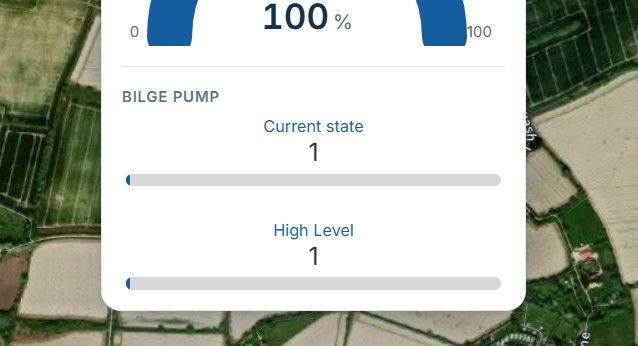
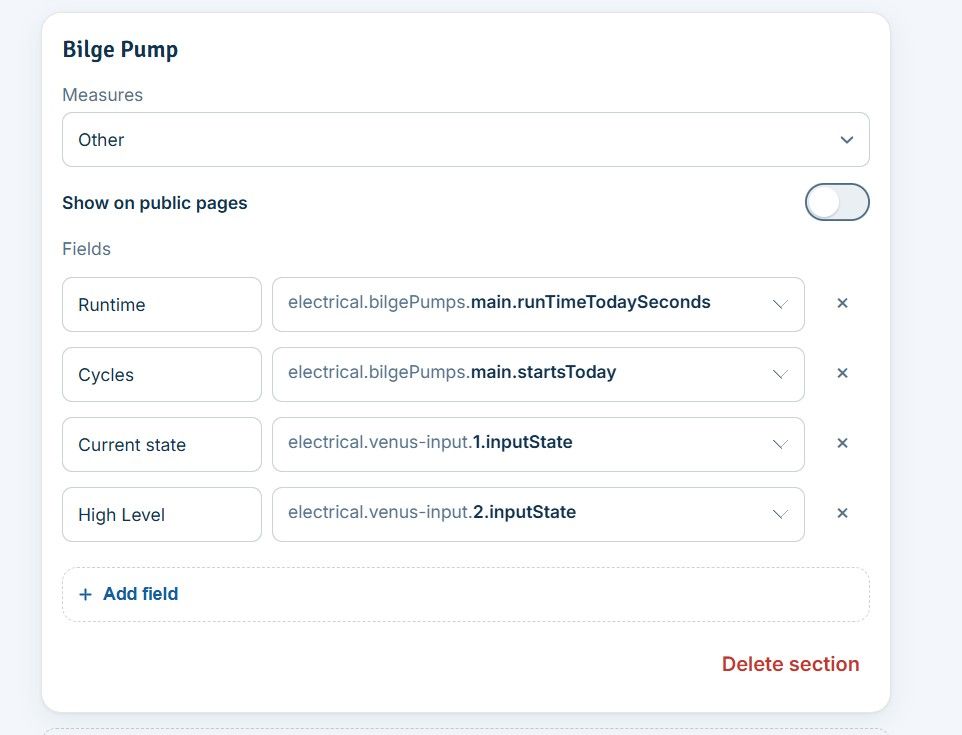
-
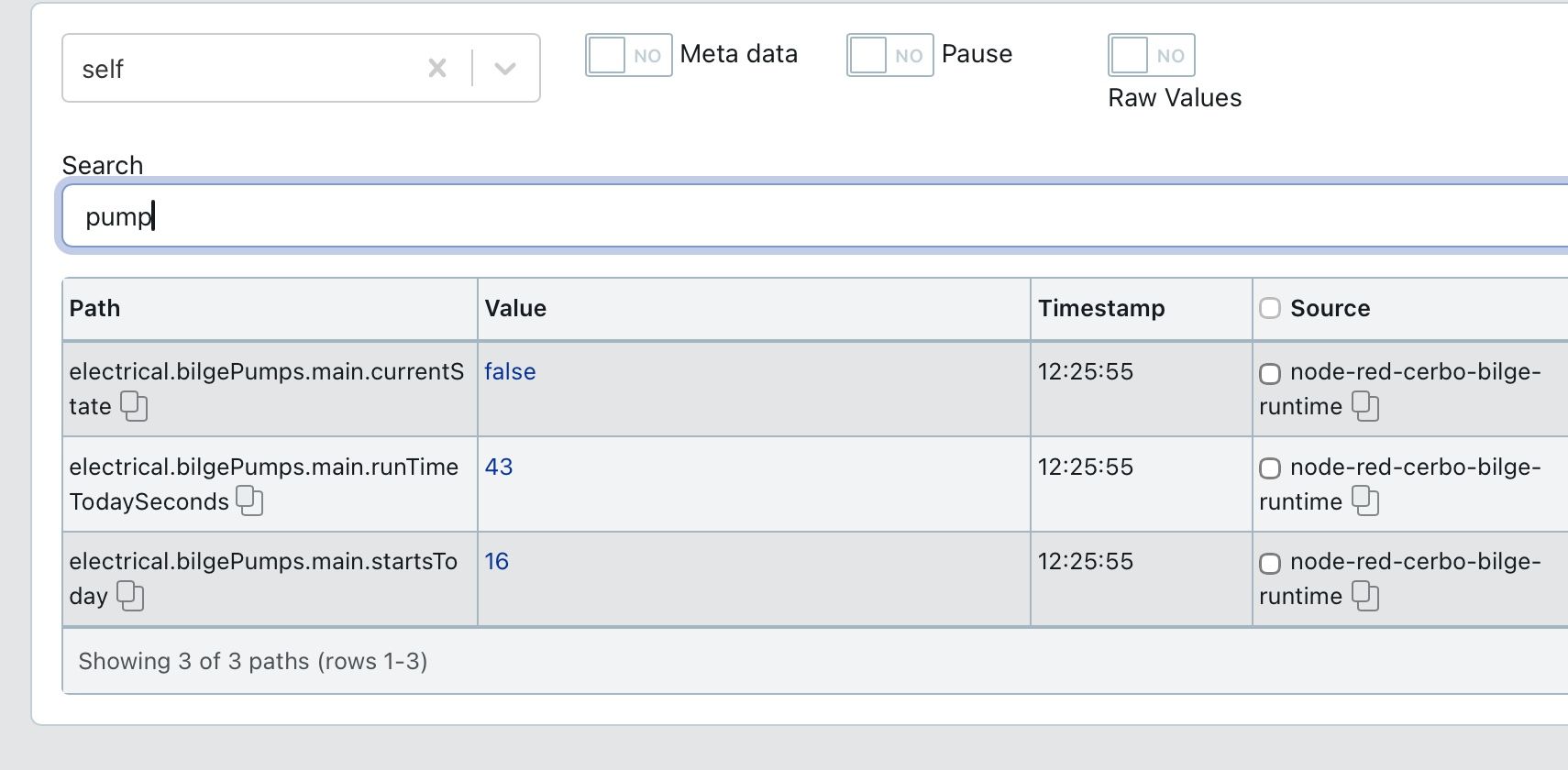
Thanks, one piece of extra information, when you took this screenshot what was the time exactly? Here is what we suspect is happening. For Saillogger to display data, it needs to be "fresh". Fresh means max 90 seconds of age. I suspect these values are only published by Node Red when the bilge pump runs and probably were older than 90 seconds. So Saillogger will not pick them up, thinking they are stale. A quick test is to check Saillogger within a minute of these fields refreshing or having NodeRed publishing them regularly. Could you try that?

Hello! It looks like you're interested in this conversation, but you don't have an account yet.
Getting fed up of having to scroll through the same posts each visit? When you register for an account, you'll always come back to exactly where you were before, and choose to be notified of new replies (either via email, or push notification). You'll also be able to save bookmarks and upvote posts to show your appreciation to other community members.
With your input, this post could be even better 💗
Register Login