
New to the family with two questions
-
Hi All, I am new to the Saillogger family (just installed two days ago) and I love it. I saw the boat Lyra in Poros /greece showing data on Windy and that gave me the push to install. Thanks to them.
 I got all working but two monitoring parameter I have problems with. The motorboats are displayed seconds and the revolutions in Herz like the raw data. Is there a way to convert them into hous and rpm?
 -
Hi there, welcome to Saillogger and glad you are enjoying it!
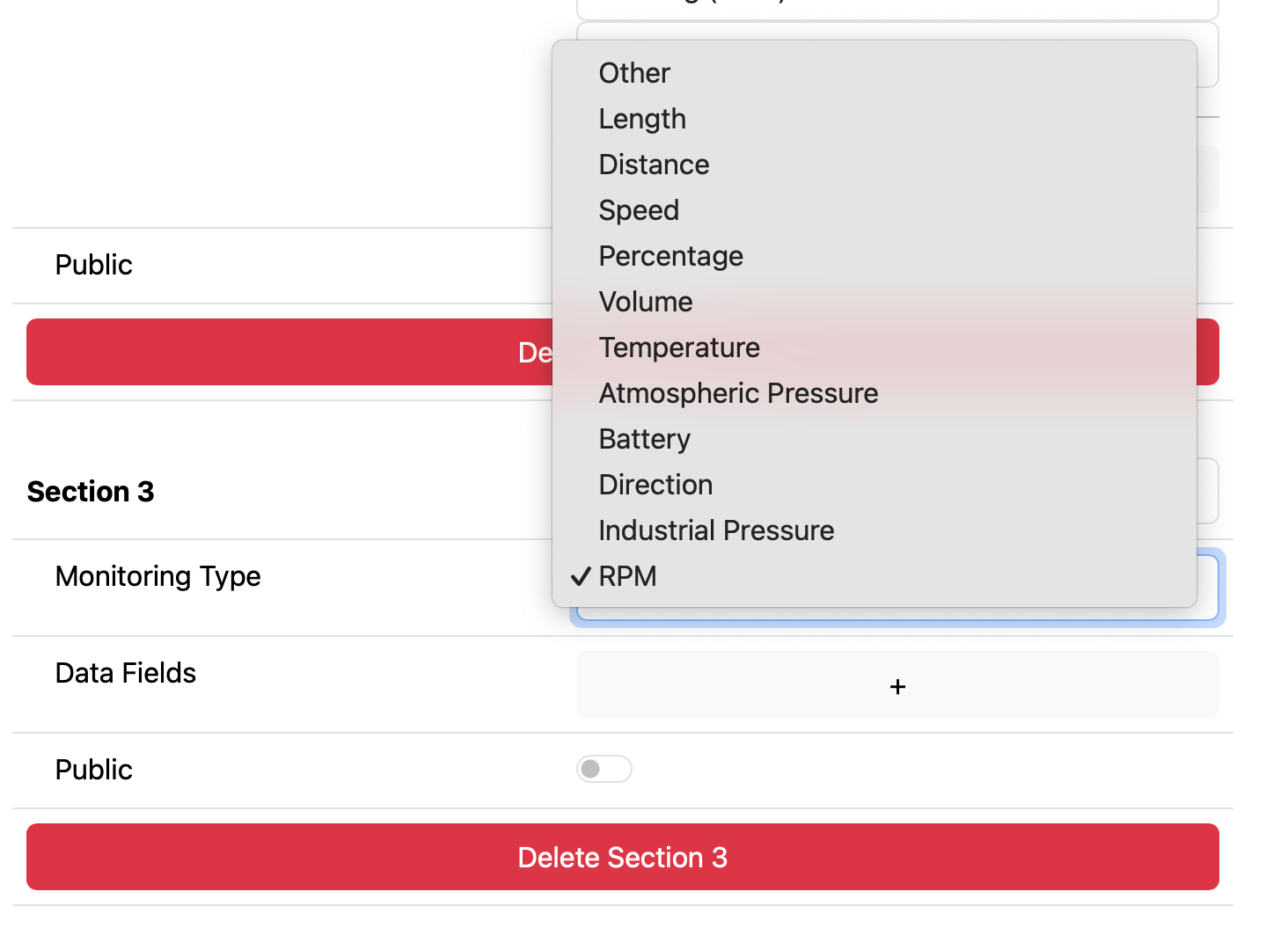
For RPM, when you are adding a custom configuration block, make sure to choose RPM in the Data Type. It should look like this:
In regards to your second question, wondering if there is a typo there:
The motorboats are displayed seconds
Could you elaborate on this? What data type are you monitoring?
-
Hi there, welcome to Saillogger and glad you are enjoying it!
For RPM, when you are adding a custom configuration block, make sure to choose RPM in the Data Type. It should look like this:
In regards to your second question, wondering if there is a typo there:
The motorboats are displayed seconds
Could you elaborate on this? What data type are you monitoring?
@admin Hi, I tried the RPM setting but it shows 0 when the engine is running. I checked the rawdata and I see that the unit is Hz not RPM. For example 0,30. so if I select RPM it shows 0.
And yes, there is a typo :-). I meant motor hours. Also here the rawdata is in seconds.
Any chance to convert them into the right units? -
Hi @SV-UNSInn there was a bug with RPMs, we just fixed it. It should work now.
We also added a new type of "Duration", which will convert seconds to hours. You can use it for engine hours.
Happy Saillogging!

Hello! It looks like you're interested in this conversation, but you don't have an account yet.
Getting fed up of having to scroll through the same posts each visit? When you register for an account, you'll always come back to exactly where you were before, and choose to be notified of new replies (either via email, or push notification). You'll also be able to save bookmarks and upvote posts to show your appreciation to other community members.
With your input, this post could be even better 💗
Register Login