Skip to content

General Discussion

106 Topics 545 Posts

Join the conversation! Dive into questions, share insights, and engage in general discussions about Saillogger and marine monitoring. Connect with the community to exchange tips, ideas, and experiences.


  • starter battery monitor

    6
    1
    0 Votes
    6 Posts
    1k Views
    adminA
    Hi @Andrea unfortunately no, all custom monitoring values are displayed in the same format like the second one. The latter one is specialized for reporting the house/main battery.
  • Monitoring sources are gone

    6
    0 Votes
    6 Posts
    2k Views
    S
    @admin MMSI was missing. Appreciate it!
  • Moorage Name

    3
    0 Votes
    3 Posts
    763 Views
    adminA
    Hi @jimholthaus, moorage name lookup in Saillogger is a multi-layer process. It uses four to five different types of logic to identify a moorage name, which can come from GIS sources, community-added moorages, or external references like Wikipedia. Moorages are created automatically, but once they exist, renaming them is straightforward as Kevin mentioned. Please let us know if you’d like any help with that.
  • Sort order of Trips for Choose Trips is different

    2
    0 Votes
    2 Posts
    495 Views
    K
    Hello John, That’s a good catch, I’m not the developer but I’m assuming that that was the most intuitive direction when he developed it. I’m guessing he’ll comment on this if need be. Thanks, Kevin.
  • 0 Votes
    3 Posts
    740 Views
    W
    @admin Thank you for the magic. I have now activated the Windy reporting option and will monitor the data on Windy to confirm all is as expected. Cheers, Bill on SV Denali Rose
  • Initial Tracking Position issue

    3
    0 Votes
    3 Posts
    745 Views
    T
    Thanks for hoping on it and deploying a fix so quickly. Behavior looks correct now.
  • Log does not include last trip

    3
    0 Votes
    3 Posts
    706 Views
    T
    Thanks! Will do that.
  • Uploading missing tracks via .GPX file?

    3
    0 Votes
    3 Posts
    716 Views
    S
    Thank you very much. Sadly we moved since Saillogger went down and I updated it. The .GPX track was to fill in our transit from when it went down and our new location where I brought it back up. Not the end of the world. Glad to have our beloved Saillogger back up and running!
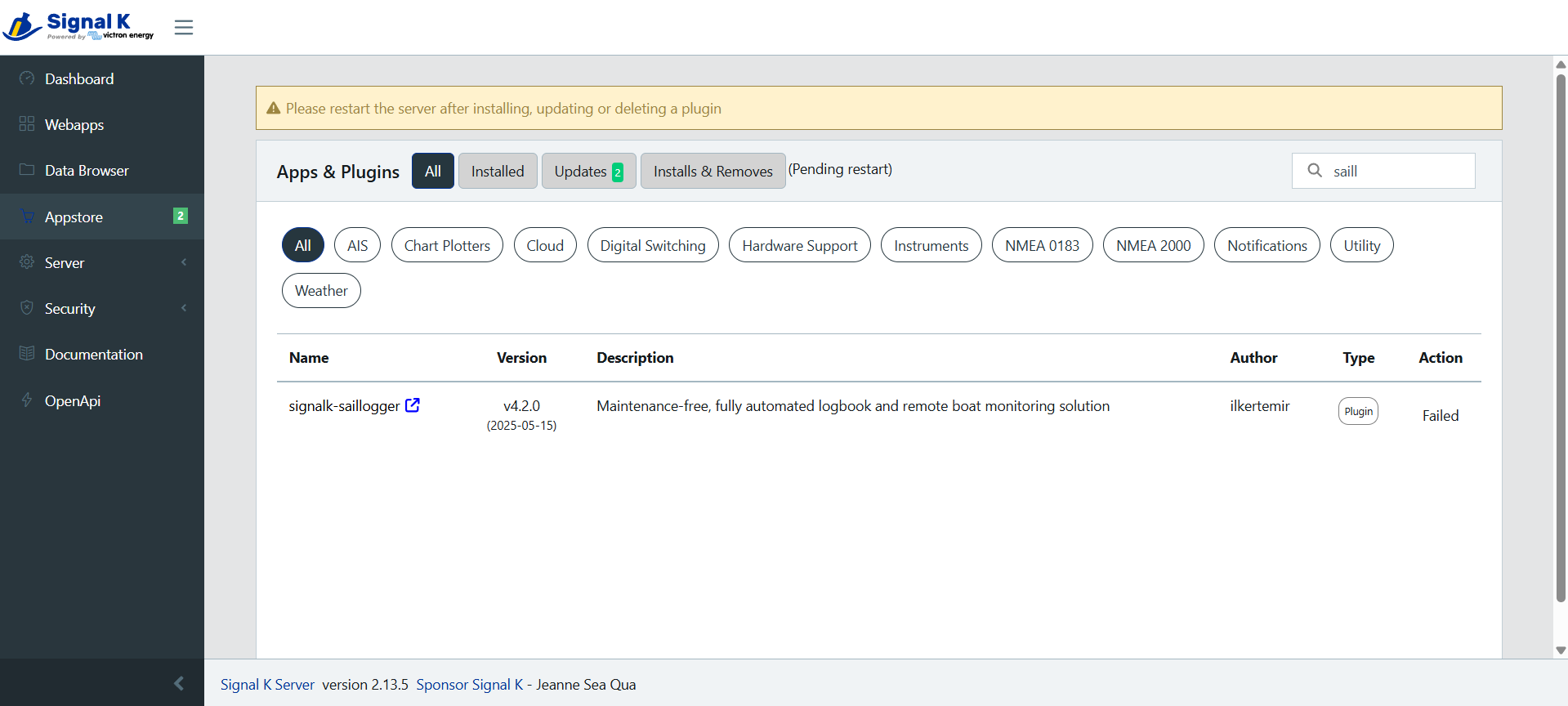
  • FIXED: Saillogger plugin fails to install on Venus OS v3.62

    26
    1
    0 Votes
    26 Posts
    10k Views
    adminA
    Hi Brian, replied over e-mail but I suspect Venus 3.63 upgrade will not help as Signal K configuration is persisted across upgrades. There is no harm to try though.
  • YD Run Indicator

    7
    0 Votes
    7 Posts
    2k Views
    adminA
    Glad to hear you sorted it out! For future reference, it may take up to an hour for new data keys to show up in Saillogger. This is only applicable for the initial configuration, once done data flows in regular one minute intervals.
  • Is it possible to correct a log?

    3
    0 Votes
    3 Posts
    787 Views
    I
    @admin Thank you for the work!!!
  • Installation Problem

    16
    0 Votes
    16 Posts
    6k Views
    adminA
    This was resolved in a different thread. Upgrading to the latest Victron firmware and installing Saillogger plugin 4.2.1 or later will work.
  • Many 0 mile trips in logbook

    4
    0 Votes
    4 Posts
    839 Views
    adminA
    Hmm, spotty access point should not cause this. It is almost always due to GPS. Please keep monitoring and let us know if you observe anything else that is unusual.
  • Error when installing saillogger.

    4
    1
    0 Votes
    4 Posts
    1k Views
    adminA
    @jonnys , we have been investigating this and it turns out this is an issue in the latest version of VenusOS v3.62, please see the following post for details and potential workarounds: https://community.saillogger.com/topic/119/important-saillogger-plugin-fails-to-install-on-venus-os-v3-62
  • No data reaching Saillogger after upgrade of Openplotter 3->4

    5
    0 Votes
    5 Posts
    2k Views
    adminA
    Thank you for sharing this Alastair.
  • Printable Logbook

    4
    0 Votes
    4 Posts
    980 Views
    adminA
    It looks correct, we plan for more improvements for this logbook, so stay tuned.
  • Not seeing NMEA2000 data in Signal K

    10
    0 Votes
    10 Posts
    6k Views
    adminA
    Ok, please try two things: Check the interface name on Signal K for the CAN interface, if it is can0 or vecan0, please try vecan1. Make sure to restart it after you make a change. See if you can connect it to first port (even temporarily) and if it makes any difference. Independently, the first port is galvanically isolated, the second one is not. For NMEA connection, Victron's strong recommendation is to use the first port.
  • Backwards wind indicator

    1
    0 Votes
    1 Posts
    532 Views
    No one has replied
  • New Install - Wont Start

    7
    0 Votes
    7 Posts
    5k Views
    adminA
    Is Victron GX connected to NMEA 2000? You need a special cable for that (you could also make your own, see this article) If you verified the connection, make sure your GPS source is turned on (it might be the chartplotter). When everything is working you should be able to go to Signal K Data Browser and search for navigation.position and it should show your current position. If you haven't already, do check this tutorial, it explains though:
  • Trackingpoint in the future?

    7
    0 Votes
    7 Posts
    3k Views
    adminA
    One more thought, please make sure the times on Cerbo GX and your Chartplotter are in sync and set to the same timezone (including daylight savings). If there is a time mismatch between the two, it could lead to problems like this.